
My Eyes Only on Snapchat: move Snaps in, and out before your export
Pick your ZIPs and the tool sorts your Memories into a folder on this phone.
No export yet? The 4-step guide


Updated November 6, 2026 · Not affiliated with Snapchat.
By GetMemoriesOut. We wrote these guides from a real Snapchat export that we opened and counted, with Memories from 2016 to 2026. When something couldn't be checked, the guide says so.
The safe way
- In Snapchat, open Memories, then My Eyes Only, and enter your passcode.
- Select the Snaps to keep, then choose to remove them from My Eyes Only.
- Check that they show up in your Memories, then request the export with the export guide.
On your phone, they're no longer behind the passcode. If that bothers you, move them back into My Eyes Only once the export has arrived.
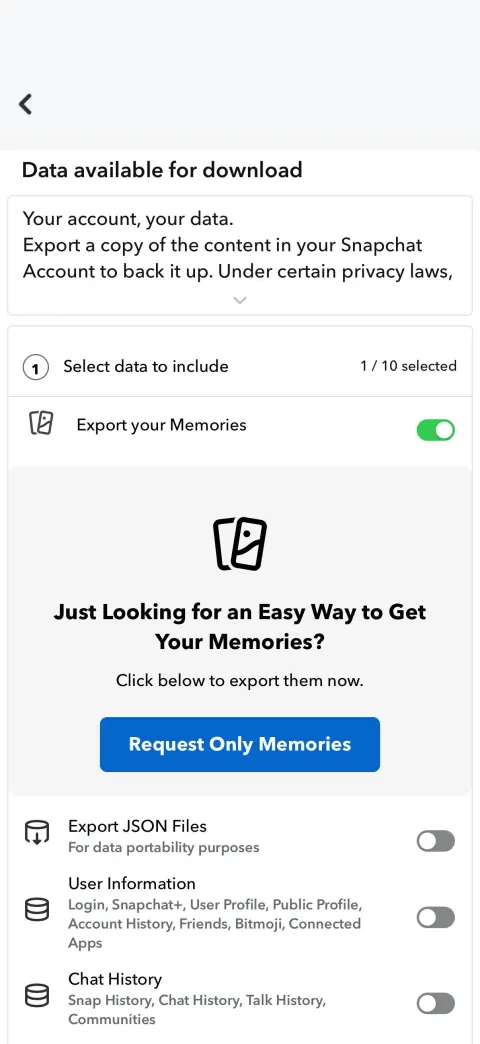
What My Eyes Only is
In the Memories tab, My Eyes Only holds the Snaps you set apart. To see them, you need the passcode you picked when you set it up.
We couldn't check whether they come with the export, and we'd rather tell you that than guess.
How to move Snaps to My Eyes Only
- Swipe up from the Camera screen to open Memories.
- Tap the selector icon at the top, then each Snap or Story you want to hide.
- Tap Hide Snaps (My Eyes Only) at the bottom, then Move.
- Enter your passcode if Snapchat asks for it.
The first time, Snapchat has you set up My Eyes Only and pick a 4-digit passcode. If you forget it, Snapchat says it can't recover the passcode or the Snaps behind it.
Only photos and videos shorter than 10 seconds can go into My Eyes Only.
More detail
To set it up: press and hold a Snap, tap More then Hide Snap (My Eyes Only) on iPhone, or Hide on Android, then Quick Setup.
The steps in this section come from Snapchat's help, read on November 2, 2026.
What users report
Two Reddit posts say My Eyes Only is missing from the export, or that its pictures won't open.
Snapchat's article on My Eyes Only says nothing about the export (read on November 6, 2026). Given these two reports, we advise taking your Snaps out before the export.
More detail
“it only exports the stuff that are not in My Eyes Only. I have about 65GB worth of crap in My Eyes Only that I need to export asap.” (r/SnapchatHelp, December 23, 2025)
“the pictures are encrypted in a way it is impossible to open” (r/SnapchatHelp, August 21, 2026)
Checking what arrived
GetMemoriesOut's recap counts your Memories, year by year. Compare those numbers with what you see in the app for the years that matter to you.
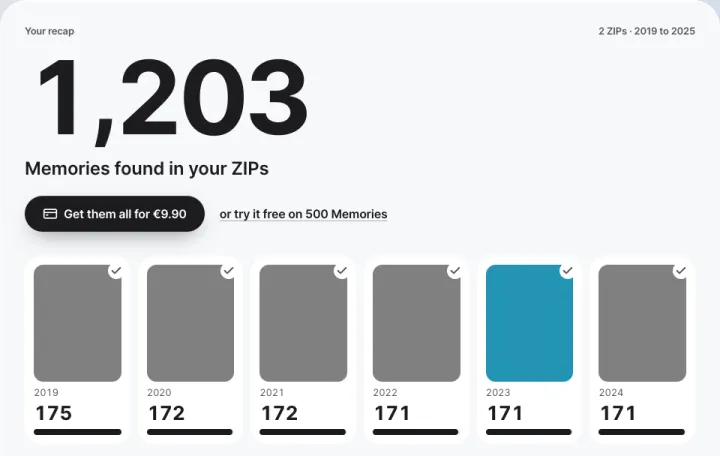
A Memory Snapchat neither listed nor sent can't show up in the recap, or in any tool. That's why the safe steps happen before the export.
The recap is free. Getting your whole library back, dated, costs €9.90, one time. Drop your ZIPs here. For Memories that are missing, read the missing Memories guide.The recap is free. Getting your whole library back, dated, costs $9.99, one time. Drop your ZIPs here. For Memories that are missing, read the missing Memories guide.
FAQ
- Are My Eyes Only snaps in the Snapchat export?
- We haven't verified it, so we won't claim it. To be safe, move them out of My Eyes Only in the app before you request the export.
- Does GetMemoriesOut need my My Eyes Only passcode?
- No. The tool only reads the ZIPs from your export. It doesn't connect to your Snapchat account and never sees your password or passcode.
- How do I know whether Memories are missing?
- The recap counts your Memories, year by year. Compare that total with what you see in the app.
- Can I put my snaps back into My Eyes Only afterwards?
- Yes, in the app, once the export has arrived. The export you already downloaded doesn't change.
- Why can't I move a video to My Eyes Only?
- Snapchat's help says only photos and videos shorter than 10 seconds can be moved to My Eyes Only. A longer video stays in Memories.